
Coming soon to the Shopify App Store
Parts that fit, from the titles you already have
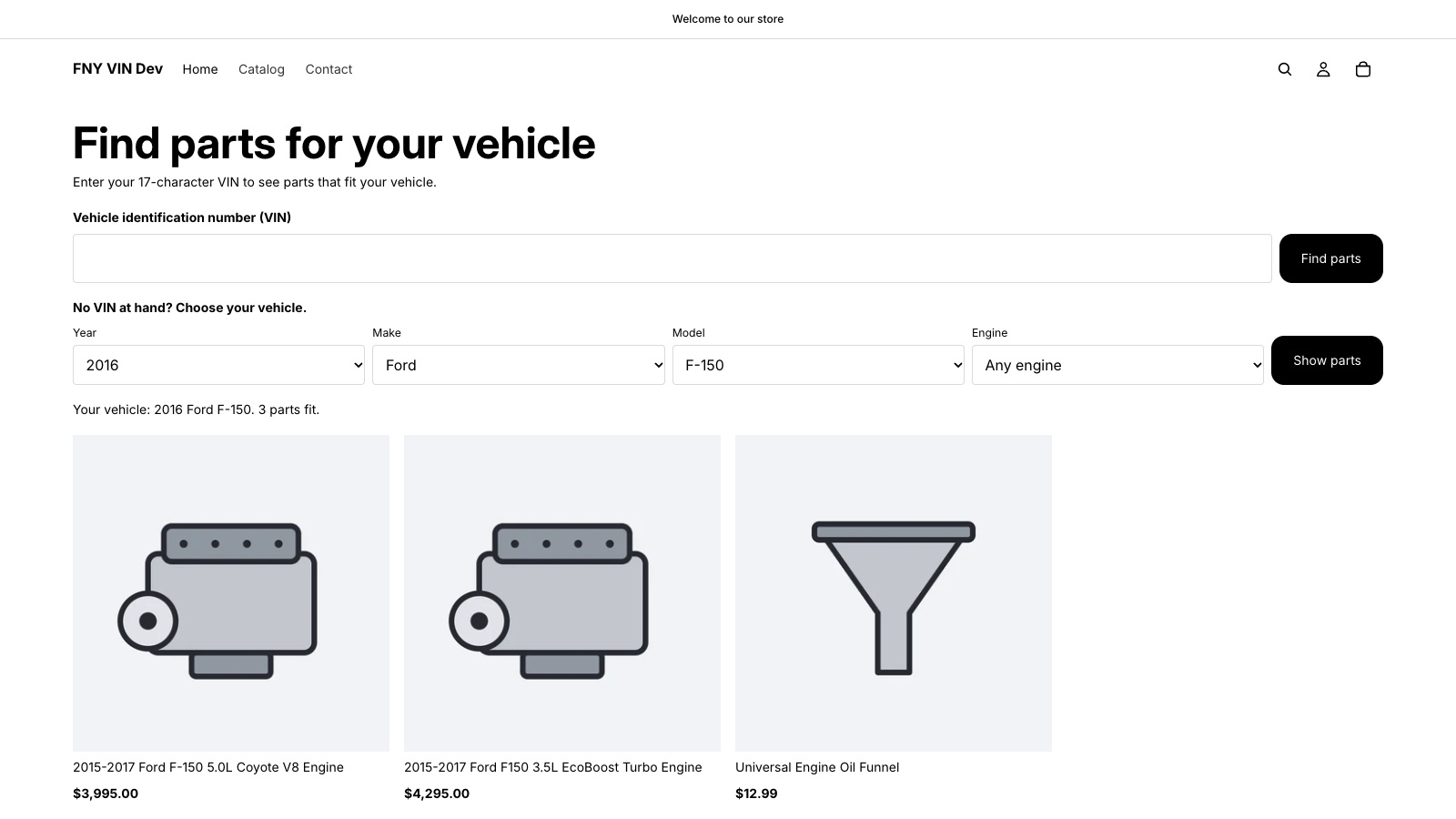
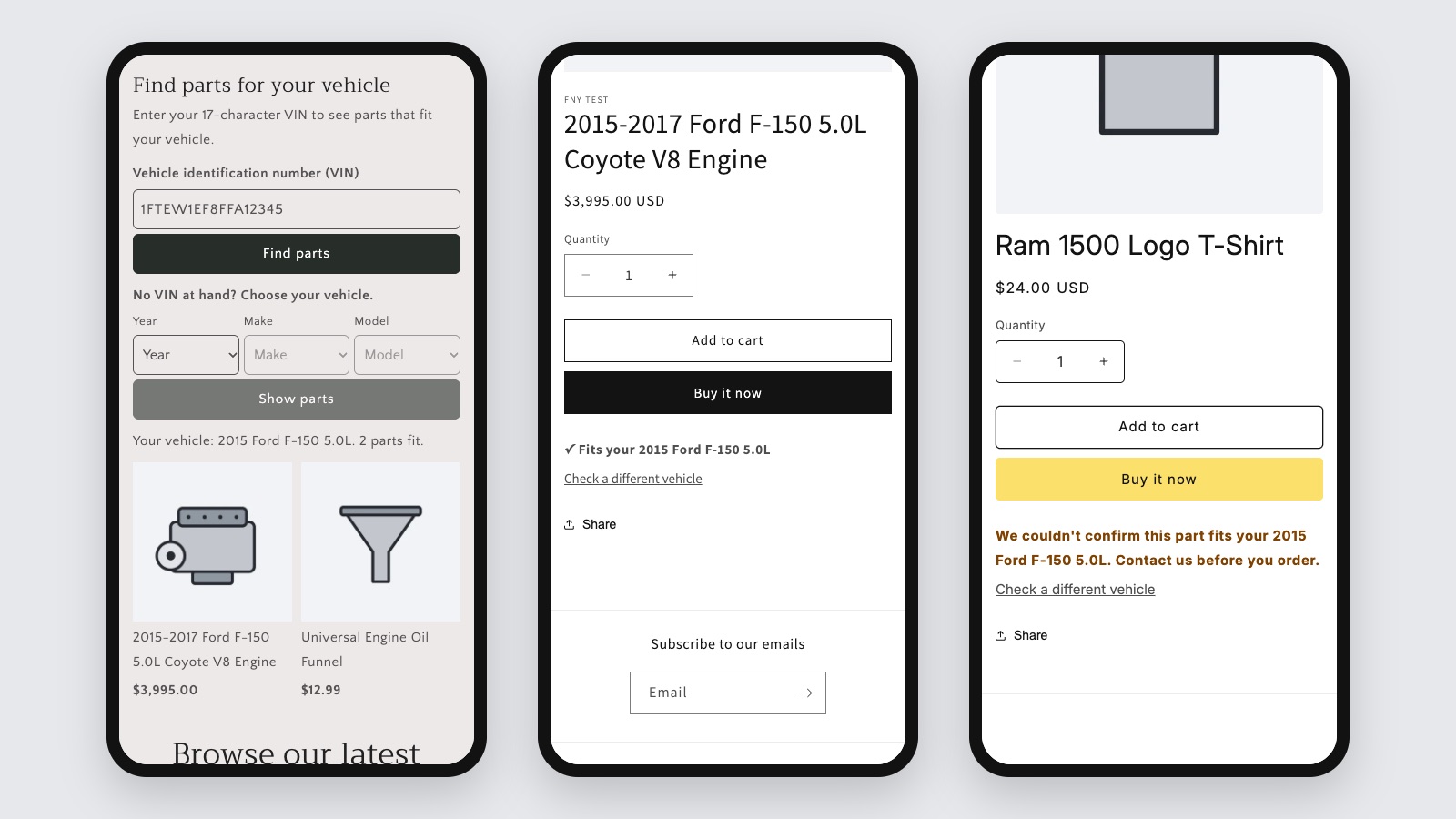
Shoppers enter a VIN or pick year, make and model, and your store shows only the parts that fit their vehicle. FNY VIN Parts Finder reads the vehicles straight from your product titles and tags, so you don't have to build a fitment database before it works.
On a live 225-product remanufactured engine catalog, the app matched 214 products to a vehicle from their titles alone. The other 11 were vehicles sold outside the US, or titles with no make.
Switch without redoing your fitment work
If you already run a year/make/model app, you've put hours into its database. Keep it running while you compare. Nothing here touches your products, and the free plan shows you the match rate on your whole catalog before you pay.
Install the free plan
The app reads every active product on your Online Store. Large catalogs take a few minutes.
Read your match report
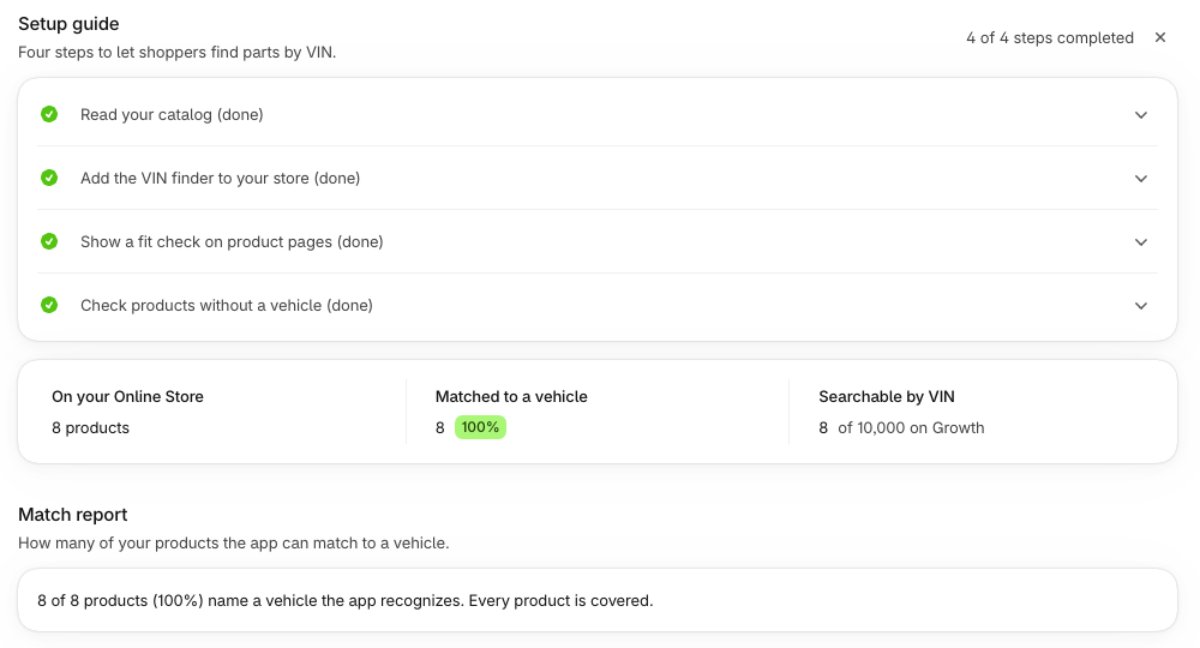
See how many products it matched, and for each one it couldn't, why: no vehicle make in the text, or a model it doesn't recognize.
Bring your existing data
Upload a CSV with a handle, product ID or SKU per row. An EasySearch database export works as it is: one row per vehicle with Year, Make, Model and the product links or SKUs.
Place the block, then compare
Add the finder in the theme editor next to your current search, test the same VINs in both, and remove the old one when you're ready.
What's different
Most fitment apps start from a database the store builds or buys. This one starts from what your catalog already says, and adds the pieces that stop wrong parts from shipping.
| What you get | FNY VIN Parts Finder | Typical year/make/model apps |
|---|---|---|
| Works before you build a fitment database | Reads titles, tags and product type | Usually needs a database or CSV first |
| VIN lookup | On every plan, including Free | Often missing, or kept for the top plan |
| Year/make/model dropdown | Built from the vehicles you actually sell | Included |
| See your match rate before paying | Free match report for the whole catalog | Varies |
| Product page answer when fit is unclear | "Couldn't confirm the fit", never a guess | Varies |
| Shopper's vehicle and VIN on the order | Growth and Pro | Some apps, often higher tiers |
| Import from your current app | CSV, including EasySearch exports | Varies |
| Changes to your products | None. Imported data stays in the app | Some write tags or metafields |
Comparison based on public Shopify App Store listings and pricing pages read in November 2026. Features change; check each app's listing.
Everything it does
One app, two theme blocks and a short admin. Here is the full feature list.
For shoppers
What appears on your store.
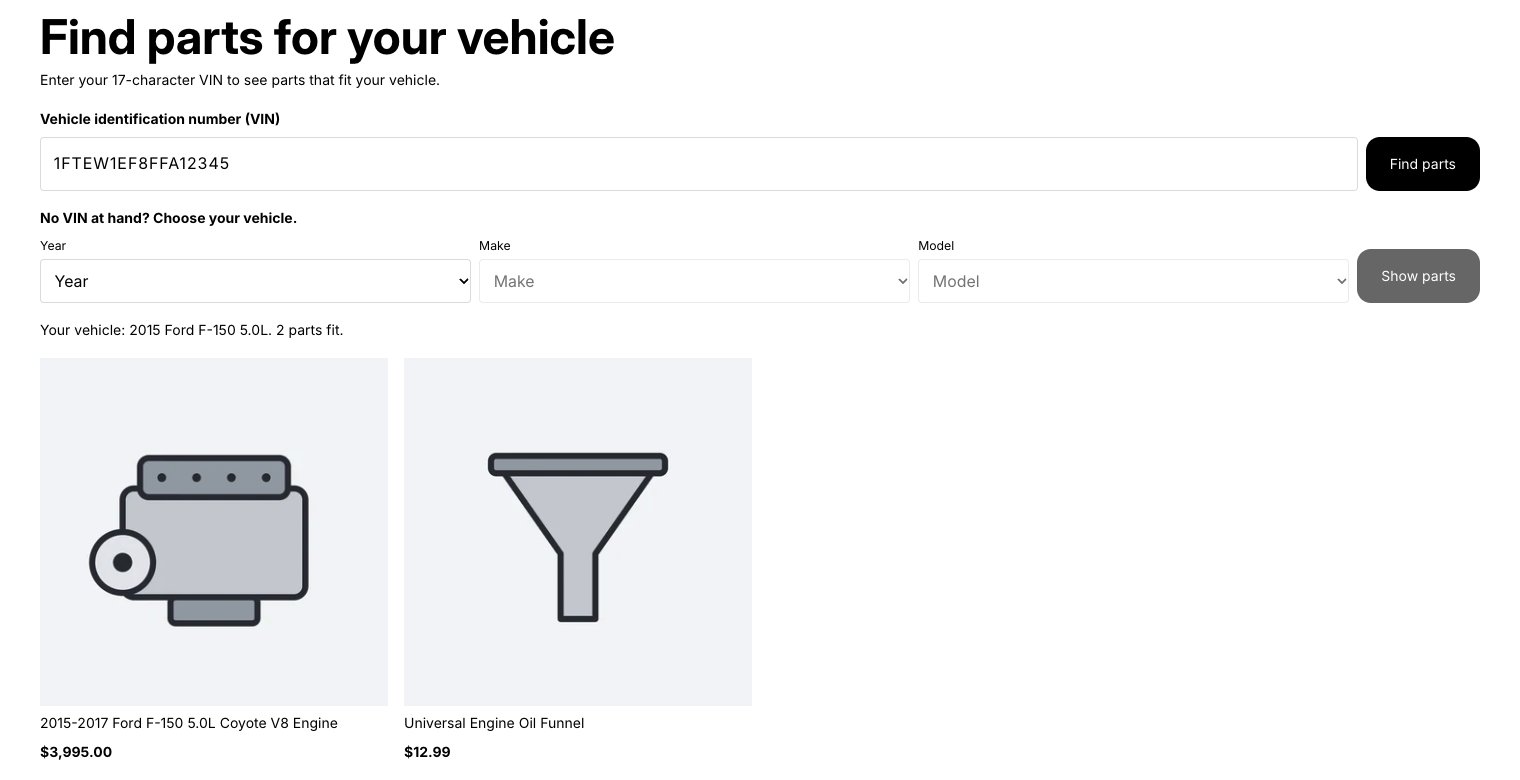
- VIN searchA 17-character VIN returns year, make, model and engine size, then lists only your parts that fit. A mistyped VIN gets a gentle typo warning.
- Year, make, model and engineDropdowns built from your own catalog, so shoppers never pick a vehicle you have no parts for. Engine appears only when a model has more than one. Starter plan and up.
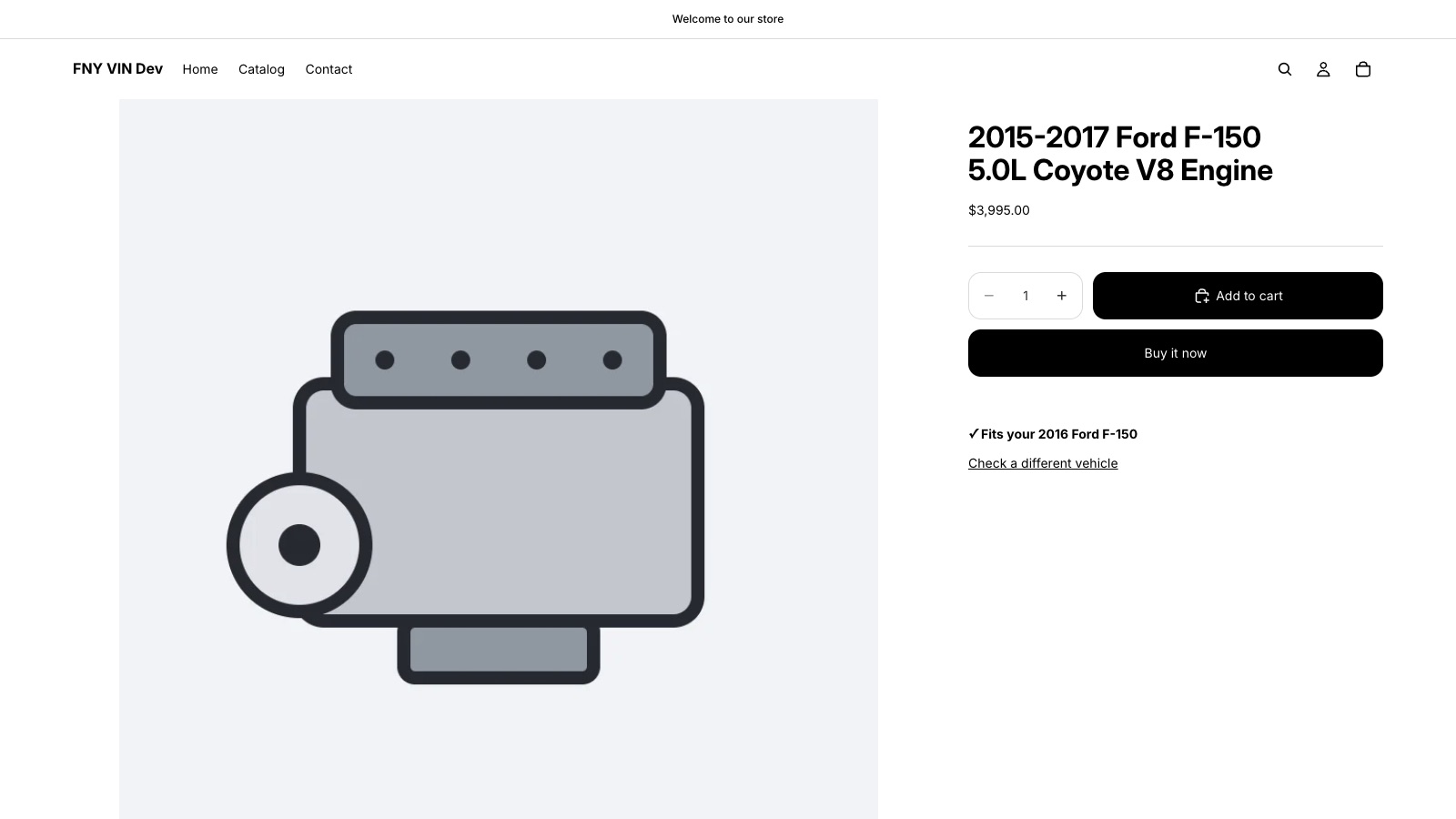
- Product page fit checkThree plain answers: fits, not listed for this vehicle, or couldn't confirm the fit with a prompt to contact you.
- Remembers the vehicleOnce a shopper looks up a vehicle, product pages check against it, when their privacy settings allow it. One click changes it.
- Your products as they areResults show your own titles, images and prices in the shopper's currency, with a "show more" button for long lists.
- Your words in three languagesEnglish, Spanish and French are built in. Rewrite any line, per store language, from the app.
For your fitment data
Where the vehicles come from.
- Titles, tags and product typeUnderstands "2012-2018", "2012-18", "2019+" and engine sizes like "5.0L". A product with an engine size only shows for that engine.
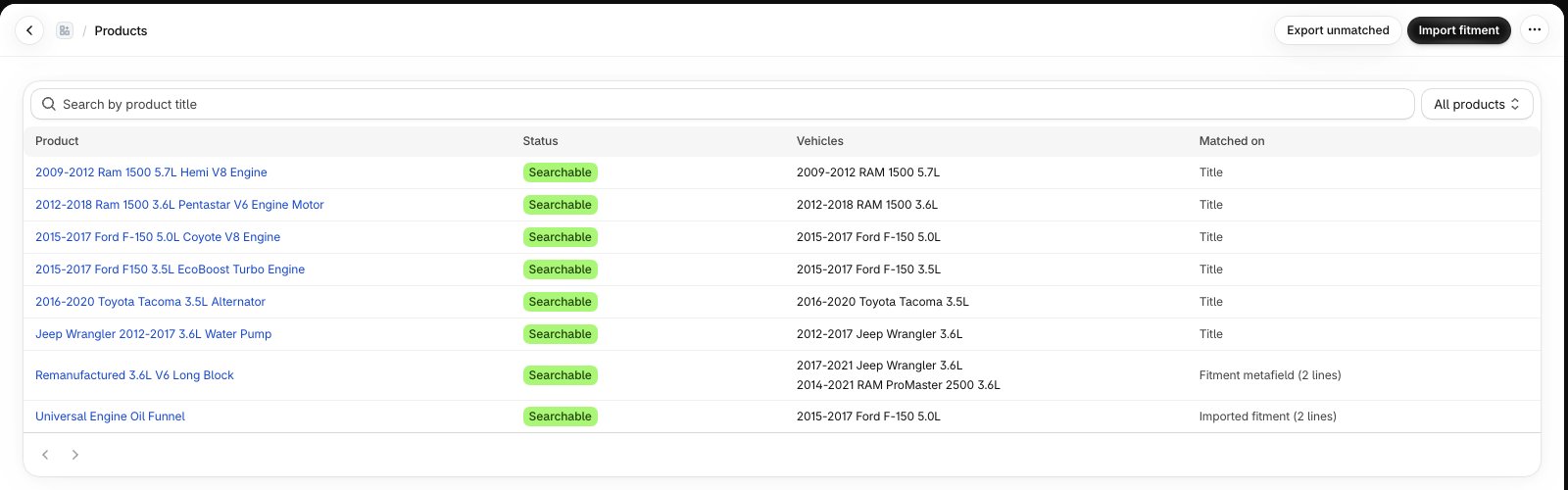
- Fitment metafieldOne vehicle per line in a product metafield you choose. It wins over the title when filled.
- CSV importHandle, product ID or SKU, with a fitment column or separate year, make, model and engine columns. You see a summary before anything is saved.
- EasySearch exportsOne row per vehicle with product links, handles or SKUs. Read as it is, no reformatting.
- Excluded collectionsKeep gift cards, apparel or tools out of results.
- Always in syncProduct changes show up within minutes, and the whole catalog is checked again every week.
For your team
Inside Shopify admin.
- Match reportHow many products matched, and the reason for each one that didn't.
- Export unmatchedA CSV of the products to fix. Fill in the fitment column and import it back.
- Products viewEvery product with its vehicles and where they were read from: title, a tag, the metafield or an import.
- Test a VINSee exactly what a shopper would get for any VIN before you go live.
- Vehicle and VIN on the orderThe shopper's vehicle and VIN appear on the order under Additional details, so you can check the part before it ships. Growth plan and up.
- Setup guideFour steps from install to a working finder, with buttons that open the theme editor in the right place.
For your store
Speed, design and data.
- Looks like your themeUses your theme's fonts, colors and buttons. Or set your own colors, fonts, button style, products per row and image shape in the theme editor.
- Light on the pageAbout 4 KB of compressed script, loaded only on pages that show a block. No code edits; blocks are removed cleanly on uninstall.
- Shopper data stays out of our serversThe VIN goes from the shopper's browser to the US government's NHTSA service. Results come from your store's own Shopify data.
- Tested themesHorizon, Dawn, Craft and Spotlight, on desktop and mobile. Needs an Online Store 2.0 theme.
Made for parts where a wrong fit is expensive
A wrong engine or transmission means freight both ways, a core to sort out and a customer who doesn't come back. The app is built around that: it never says a part fits unless the product lists that vehicle with its years, and the order carries the VIN your team needs to double-check.
FNY VIN Parts Finder is built by Freeman NYC, a New Jersey Shopify agency that works with auto parts sellers every day.
Pricing
Billed by Shopify with your store invoice. Paid plans start with a 14-day free trial, and you can change or cancel at any time. Every plan includes VIN search, the product page fit check, the match report and CSV import.
Free
$0
No card needed- 50 searchable products
- 1 excluded collection
Starter
$19/month
or $190/year- 1,000 searchable products
- 5 excluded collections
- Year/make/model dropdown
Growth
$49/month
or $490/year- 10,000 searchable products
- 20 excluded collections
- Year/make/model dropdown
- Vehicle and VIN on the order
Pro
$99/month
or $990/year- 50,000 searchable products
- 50 excluded collections
- Year/make/model dropdown
- Vehicle and VIN on the order
Questions
Do I need a fitment database first?
No. If your titles or tags name the year, make and model, for example "2012-2018 Ram 1500 3.6L Engine", the app reads them. The match report shows what it couldn't read, and you fix those with a title edit, a metafield or a CSV.
My titles are messy. Will it still work?
Install the free plan and read the match report: it counts every product on your Online Store, not only the 50 that are searchable on Free. Anything it misses can be filled in with a CSV, so you only do the work for the products that need it.
Can I bring the data from my current app?
Yes. Export it as CSV and upload it. An EasySearch database export is read as it is. Other files need a handle, product ID or SKU column plus either a fitment column or year, make and model columns.
Which vehicles can a VIN decode?
VIN decoding uses NHTSA's vPIC database, which covers vehicles built for the US market, including many sold in Canada. For other vehicles shoppers use the year, make and model dropdown.
Will it slow down my store or break my theme?
The script is about 4 KB and loads only on pages that show a block. The app adds theme blocks through Shopify's theme editor and never edits your theme code, so uninstalling removes it cleanly.
Does it change my products?
No. It reads your products. Imported fitment is stored in the app, and the search data lives in your store as app-owned entries Shopify serves from its own servers.
What does it store about shoppers?
Nothing on our servers. The VIN goes from the shopper's browser to NHTSA. If you turn on "vehicle and VIN on the order", they go into the Shopify cart and show on the order in your admin. See the privacy policy.
When can I install it?
The app is going through Shopify App Store review. Email us your store address for a free match report now, and we'll send the install link as soon as it's live.
See your match rate before you change anything
Send us your store address. We'll run the matcher on your public catalog and email you how many products it reads, which ones it can't, and why. No install needed.
Or write to dev@freemannyc.com. We reply within one business day, Monday to Friday, Eastern Time.